
How To Use The BambooSaint Inquiry System
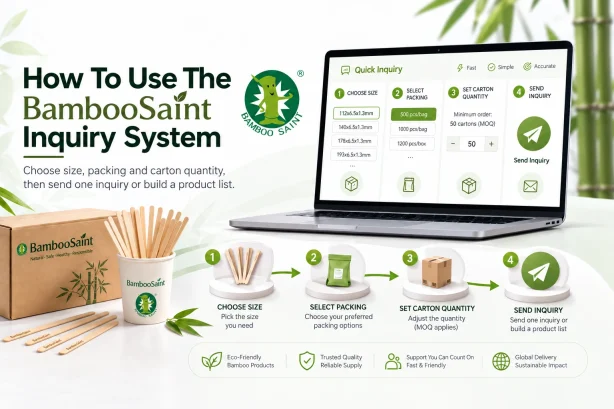
This guide helps buyers understand how to send an inquiry on the BambooSaint website. The goal is simple: help you choose products faster, help our team understand your requirements clearly, and make the quotation process smoother.
We use coffee stirrers as the example here, but the same process applies to other BambooSaint product pages. Once you understand how to select size, packing, carton quantity, and inquiry options on one product page, you can use the same steps across the rest of the website.
If you are comparing several bamboo or wood disposable products, this guide can also help you prepare a cleaner inquiry before contacting us.
Choose Size, Packing, And Carton Quantity
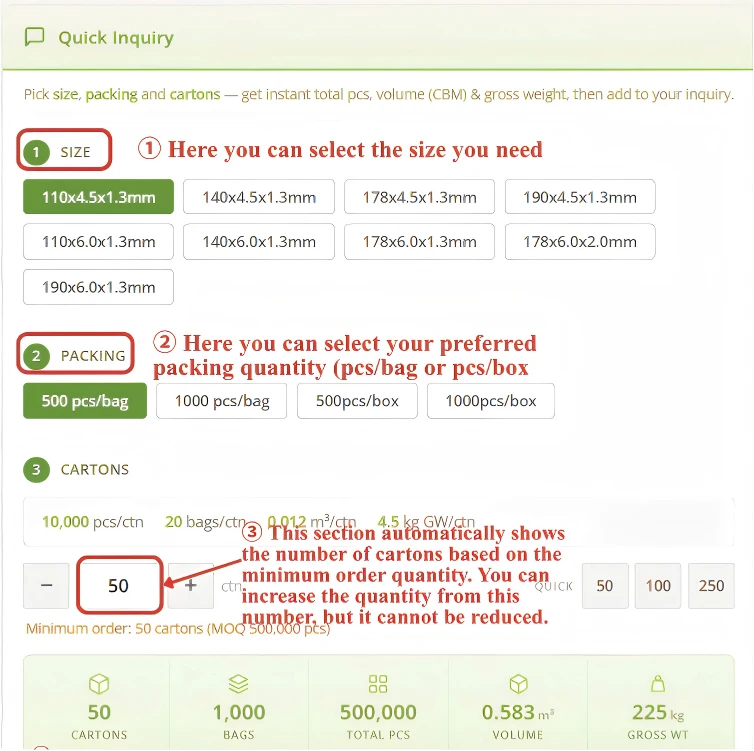
On a product page, you will usually see options such as size, packing, cartons, and inquiry buttons. These options help you tell us which exact specification you want to quote.
| Option | What It Means | How To Use It |
|---|---|---|
| Size | The available dimensions for that product. | Choose the size you want to inquire about. |
| Packing | The packaging format, usually shown as how many pieces are packed in each bag. | Select the packing method you need. |
| Cartons | The system automatically shows the carton quantity that matches the MOQ. | You can increase the carton quantity, but you cannot reduce it below the minimum order quantity. |
Send One Inquiry Or Build A Product List
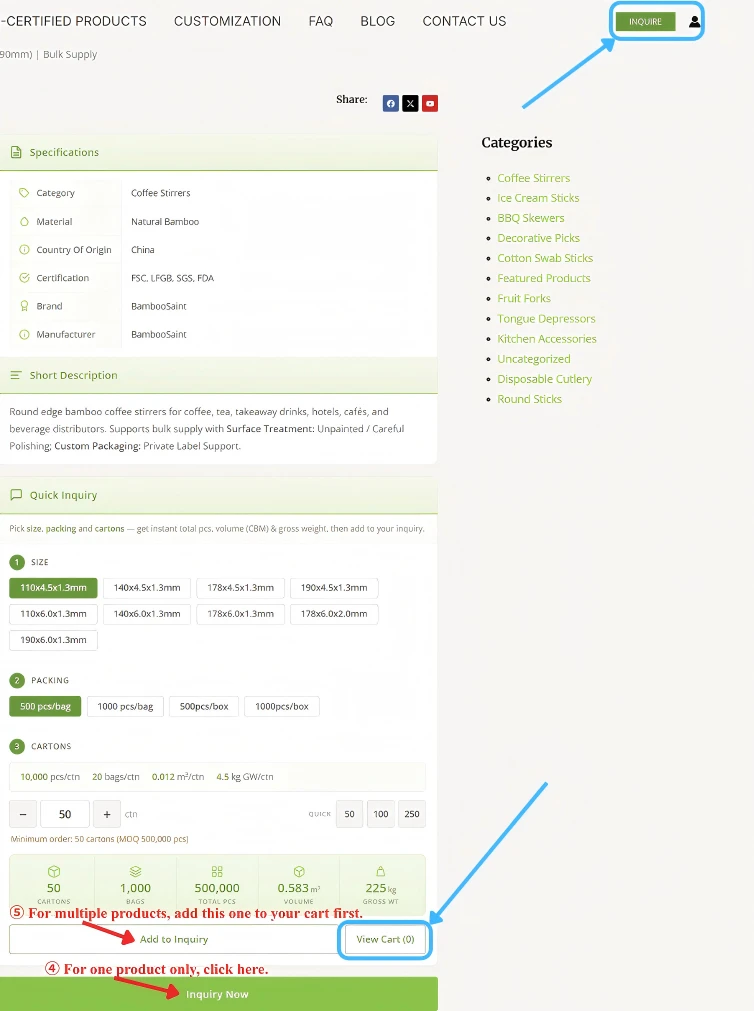
After you choose the product options, there are two common inquiry paths. If you only need this one product, you can submit the inquiry directly from the product page. If you need several products, add each product to the inquiry cart first.
- For one product, choose the specification and click "Inquiry Now".
- For multiple products, choose the specification and click "Add to Cart" for each item.
- After adding all required products, click "View Cart", the account icon in the upper right corner, or the "Inquiry" button to enter your inquiry cart.
The single-product form and the multi-product form use the same basic structure, so you do not need to learn a different submission process.
Review Products In The Inquiry Cart
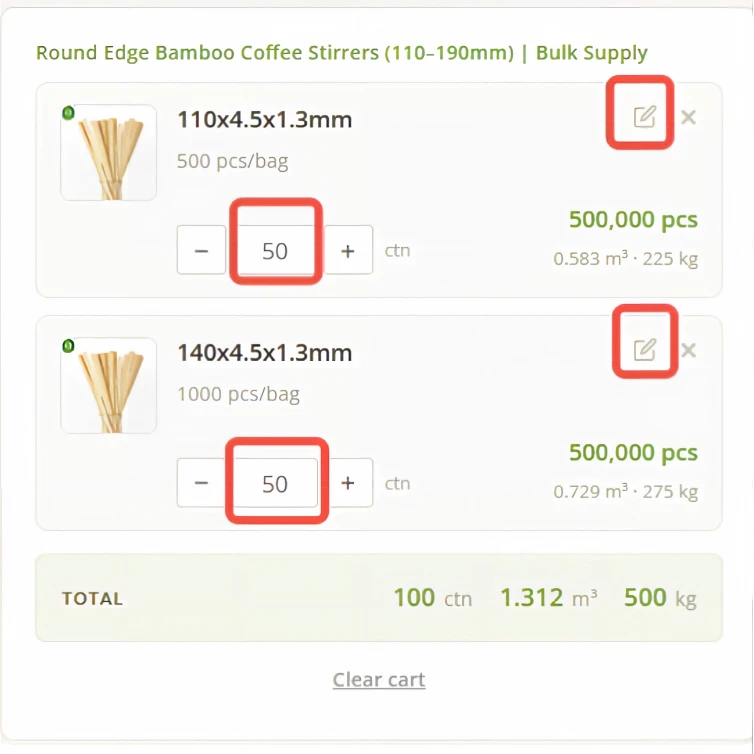
If you are sending an inquiry for several products, the inquiry cart lets you review the selected items before submitting the form. This is useful when you are comparing products from different categories or preparing a larger quotation request.
In the cart, you can check the product requirements again and adjust the options that are still editable. If the page does not offer the exact change you need, keep the closest available option and explain the change in the message section of the form.
This keeps the product list clear while still giving you room to add special requests.
Fill In The Inquiry Form
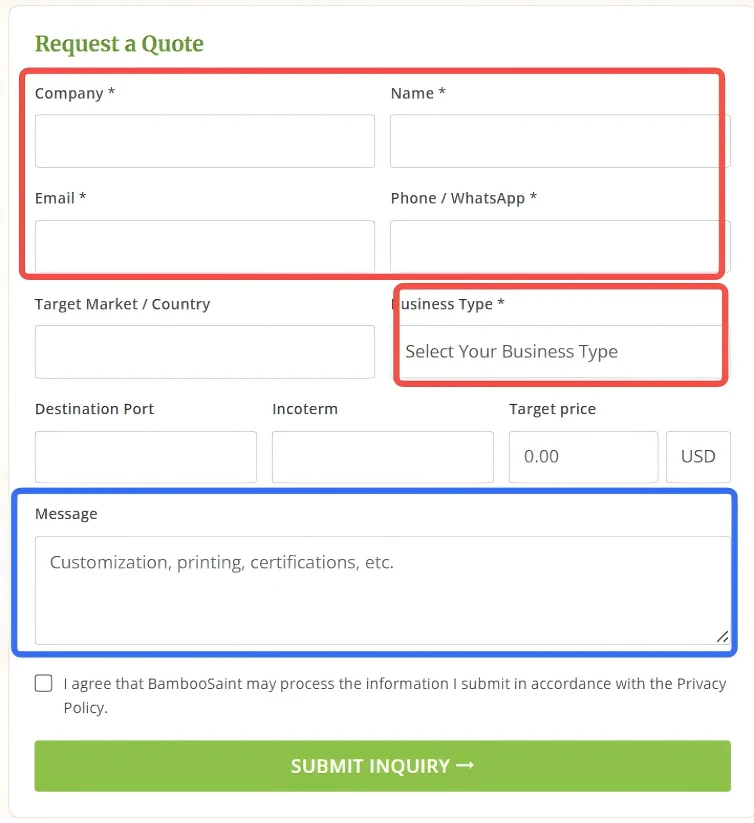
Next, fill in your personal or company information. Fields marked with * are required. Other fields are optional, but adding more details can help BambooSaint prepare a more accurate quotation.
- Add your company name and contact information so our team can reply correctly.
- Use the message section for changes that are not available in the product options.
- You can also write packaging requests, target quantity, destination market, delivery notes, or any other requirement that may affect the quotation.
If you are in a hurry, you can fill in only the required fields first. Clear remarks are still helpful, especially when your request involves several products or non-standard requirements.
Submit The Form And Check Your Email
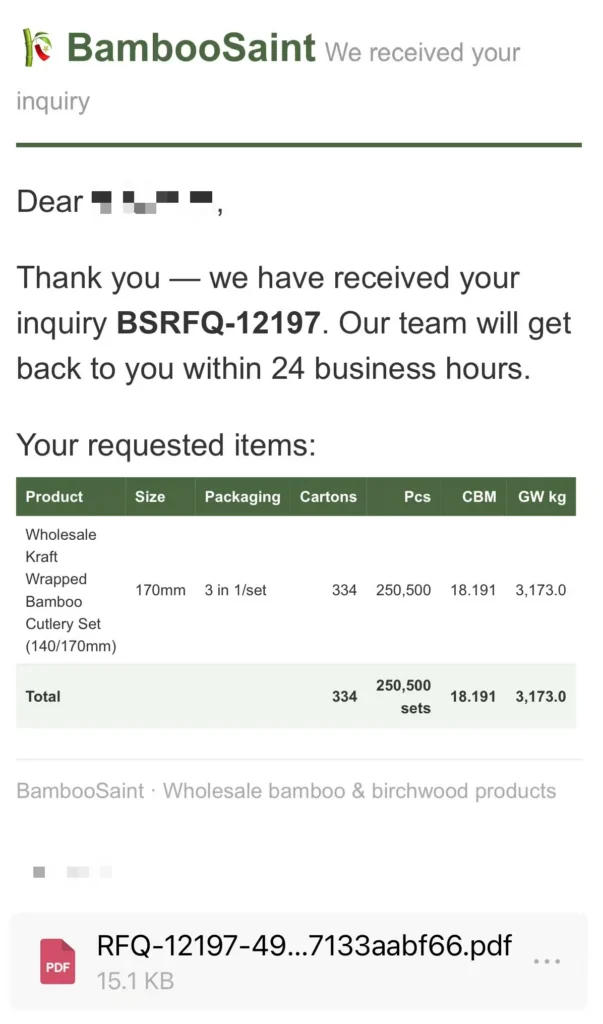
After you submit the form, BambooSaint will receive your inquiry. The system will also send a confirmation email to the email address you entered in the form.
This confirmation helps you know that the inquiry was submitted successfully. Our team can then review your selected products, carton quantities, packing choices, and message notes before preparing a quotation.
For a faster reply, make sure your email address is correct and your message includes any important details that are not covered by the product page options.
All BambooSaint Product Links In One Place
After you understand the inquiry process, use the product links below to choose the items you want to quote. All BambooSaint product links are gathered in this one HTML block, grouped by category for easier browsing.
| Category | Typical Use | Product Count |
|---|---|---|
| Disposable Cutlery | Takeaway meals, catering, hotel kits, retail packs, and local repacking | 4 |
| Coffee Stirrers | Cafes, vending programs, hotels, airlines, offices, and beverage stations | 6 |
| Ice Cream Sticks And Round Sticks | Frozen dessert factories, snack brands, craft packs, branded sticks, and wholesale supply | 4 |
| BBQ Skewers And Decorative Picks | Barbecue, cocktails, catering, buffet service, teppanyaki, and food display | 6 |
| Fruit Forks And Toothpicks | Fruit shops, dessert trays, airline meals, hotels, restaurants, and takeaway packs | 2 |
| Cotton Swab Sticks | Swab manufacturers, personal-care suppliers, and downstream cotton swab production | 1 |
| Tongue Depressors | Medical, dental, clinical, health supply, and institutional purchasing channels | 1 |
| Certified Products And OEM Support | Importers, distributors, private-label brands, and buyers with documentation or packaging needs | 4 |